

AI note-taking apps are transforming how we capture meeting details. They offer a seamless way to record and organize information.
CallBro stands out as a top choice for meeting notes. It provides real-time transcription and integrates with popular platforms.
But how does CallBro compare to other AI note-taking apps? This article explores CallBro and its top alternatives.
We'll delve into features, pricing, and integrations. Understanding these aspects helps you choose the best AI note taker.
AI note-taking apps enhance productivity by automating the note-taking process. They save time and reduce the risk of missing details.
Security and privacy are crucial when selecting an AI note-taking app. We'll discuss these considerations in detail.
Whether you're a professional or a student, AI note-taking apps can boost your productivity. Let's explore the best options available.
Why Use AI Note-Taking Apps for Meetings?
AI note-taking apps offer several advantages over traditional methods. They automatically record and transcribe meetings, ensuring nothing is missed.
These tools enhance productivity by freeing users from manual note-taking. This allows for more focus during discussions and brainstorming sessions.
Beyond capturing words, AI note-taking apps can identify speakers. They can tag keywords and track action items, providing a comprehensive record.
Integrating with popular platforms like Zoom and Microsoft Teams streamlines your workflow. With easy access to meetings, recording notes becomes effortless and efficient.
AI apps are a boon for those working remotely. They ensure team alignment by creating accurate, accessible notes for everyone.
Benefits of AI Note-Taking Apps
- Real-time Transcriptions: Accurate and immediate note captures.
- Speaker Identification: Distinguishing between speakers enhances clarity.
- Integration: Seamless connectivity with meetings and platforms.
- Focus Enhancement: Attendees concentrate on discussion without distractions.
- Efficient Collaboration: Everyone receives reliable meeting records.
AI note-taking solutions also support multilingual teams. They can transcribe meetings in various languages, making global collaboration straightforward.
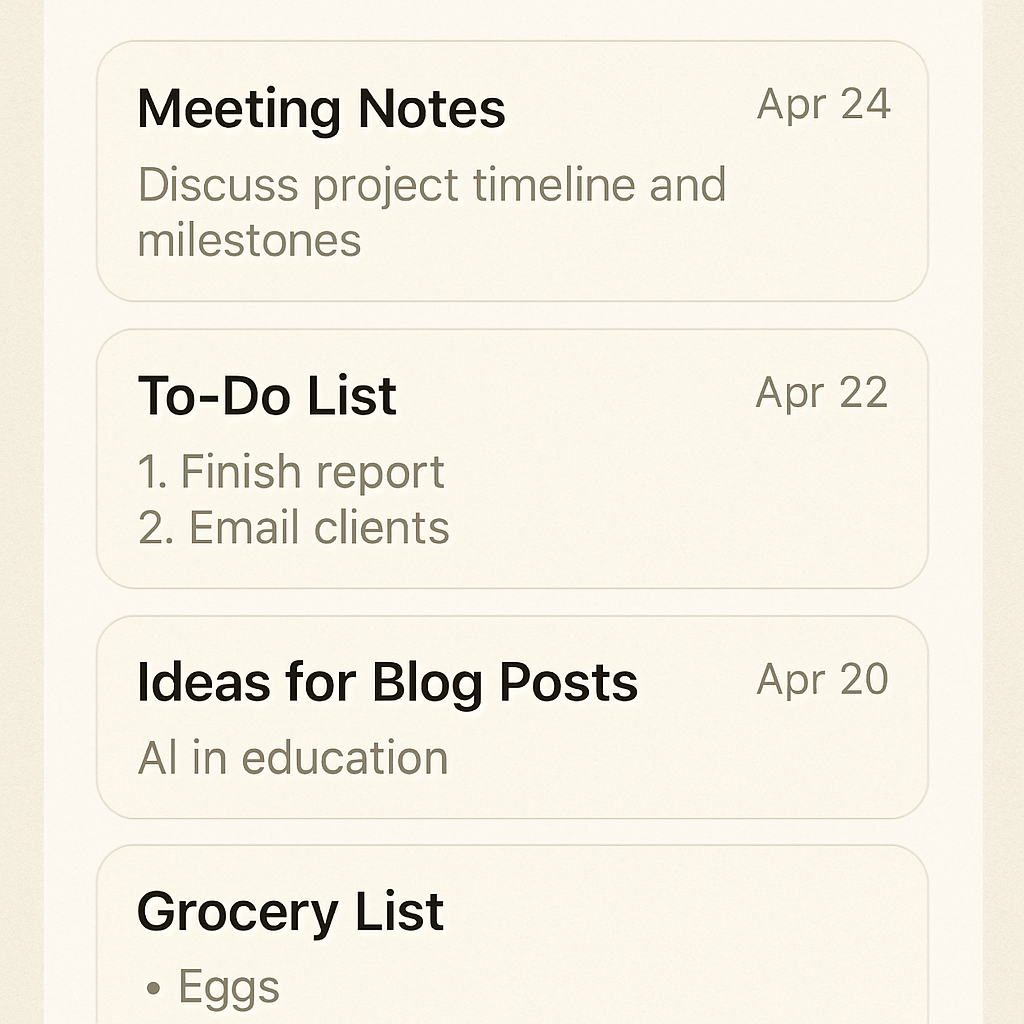
Choosing the right app aligns with your specific needs. This ensures smooth integration into your existing workflow.
What Makes a Great AI Note Taker? Key Features to Consider
When evaluating AI note-taking apps, key features should inform your decision. Prioritize those enhancing functionality and ease of use.
Accuracy in transcription is paramount. A reliable app ensures meeting records are precise and useful without needing extensive manual corrections.
Intuitive user interfaces improve user experience. Navigating the app should be straightforward, regardless of your tech skill level.
Seamless integration with existing tools is essential. This saves time and maintains a smooth flow across platforms where your team collaborates.
Essential Features to Look for
- Real-time Transcription: Immediate capture of spoken words.
- Speaker Identification: Distinguishes who said what.
- Keyword Tagging: Highlights crucial topics.
- Action Item Tracking: Lists tasks to be done post-meeting.
- Cloud Storage: Stores notes for easy access.
Customization options tailor your experience. They adapt features to fit specific needs, enhancing efficiency and productivity.
Security should be a priority. Look for apps with robust data protection measures, ensuring meeting details remain confidential.
CallBro: The Centerpiece of AI Meeting Notes Apps
CallBro stands out as a leader in AI note-taking solutions for meetings. It excels with its real-time transcription prowess and intuitive design. This app is tailored for professionals needing accurate and efficient meeting documentation.
The platform integrates smoothly with popular tools like Zoom and Microsoft Teams. Such integration ensures that capturing meeting content is hassle-free. Users benefit from its seamless workflow and minimal setup interruptions.
Security is a core part of CallBro's offering. The app employs strong encryption to protect sensitive data. Users can rest assured that meeting notes are secure and private.
Key Features and Benefits of CallBro
- Real-time Transcription: High accuracy ensures nothing is lost.
- Speaker Identification: Clearly labels who said what.
- Action Item Tracking: Automatically records tasks during meetings.
- Keyword Tagging: Quickly find important discussion points.
The app's ability to track action items is invaluable. It effectively highlights tasks that require follow-up, keeping teams on track.
Moreover, CallBro offers exceptional customer support. A robust user community provides additional assistance and insight into best practices.
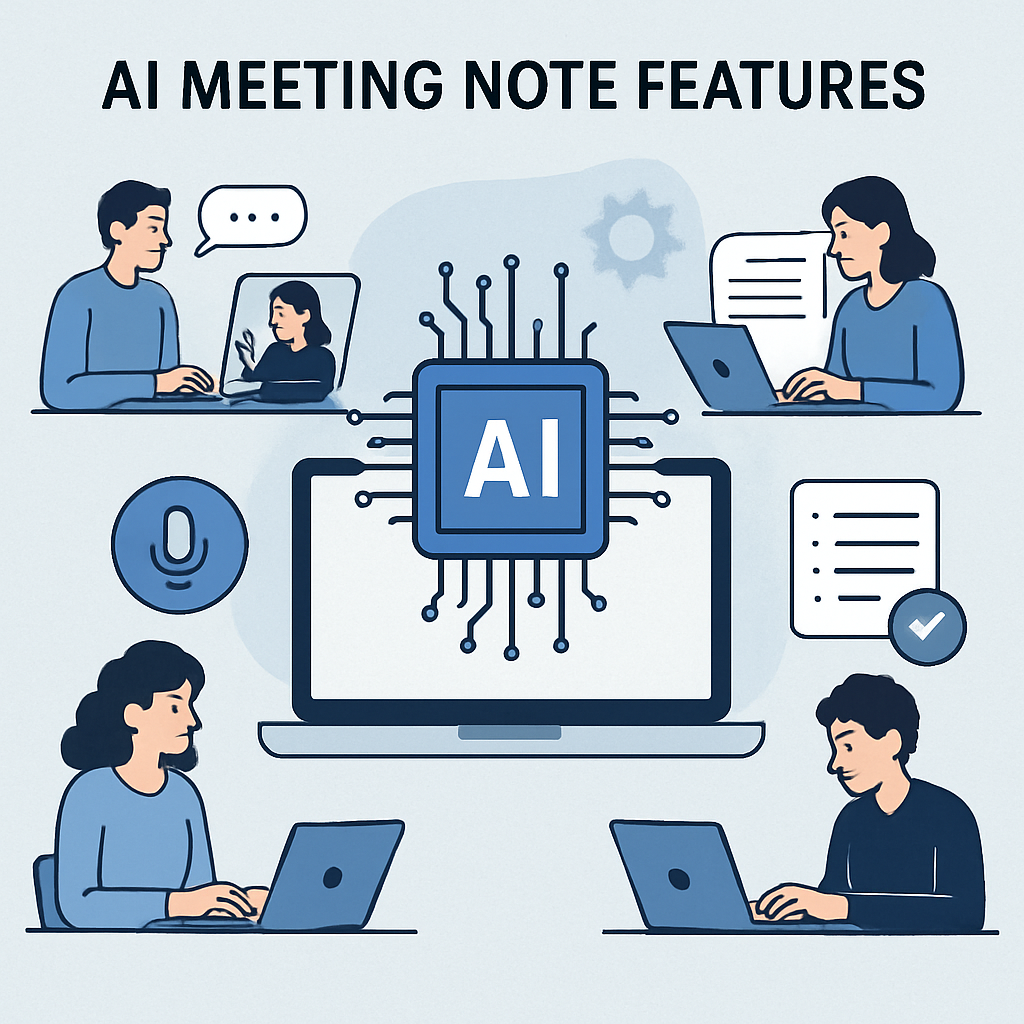
CallBro's regular updates and feature enhancements are user-driven. Feedback helps shape continuous improvements, ensuring the app stays relevant.
CallBro's Core Features and Benefits
CallBro boasts several standout features. Its real-time transcription means you get a full record instantly. This eliminates the need for manual note-taking.
Speaker identification is a highlight. It attributes comments to the right individuals, avoiding confusion.
Keyword tagging offers efficiency in locating specific topics. This feature is particularly useful in lengthy meetings.
Noteworthy Benefits:
- Real-time Efficiency: Save time with accurate notes.
- Collaboration Enhanced: Share notes seamlessly across teams.
- Action-Oriented: Focus on what's next with tracked action items.
These features elevate CallBro as a preferred choice. Users can focus on discussions, knowing the app captures everything accurately.
The app's ease of use is also worth noting. A simple interface allows even non-technical users to navigate and utilize its full potential.
CallBro Pricing and Plans
CallBro offers competitive pricing aligned with varied user needs. Flexible plans cater to individuals and businesses alike.
The pricing model includes a free trial. This allows potential users to explore features before committing financially. Various subscription options exist, providing different levels of access.
Pricing Plans:
- Free Trial: Limited features, great for first-time users.
- Standard Plan: Access to core features and essential integrations.
- Premium Plan: Includes advanced functionalities and priority support.
These options make CallBro accessible to different user types. Clear pricing ensures no unexpected costs, enhancing user trust.
CallBro Integrations and Supported Platforms
CallBro's integration capabilities are expansive. Users can connect it with multiple platforms, optimizing productivity.
Top integrations include Zoom, Microsoft Teams, and Slack. Such versatility means smooth operation across widely used tools.
Supported Platforms:
- Zoom: Seamless integration for video conferences.
- Microsoft Teams: Direct use during team meetings.
- Slack: Easy sharing and collaboration post-meeting.
These integrations make CallBro versatile and adaptable. The extensive platform support helps users maintain a streamlined workflow across varied tools.
Fireflies.ai: Top Alternative to CallBro
Fireflies.ai is a popular choice for automated note-taking. Known for its ease of use, it simplifies capturing meeting insights. This app appeals to a wide audience, from startups to large enterprises.
One of Fireflies.ai's strengths is its seamless integration with major conferencing tools. This includes platforms like Google Meet and Zoom. Users find it highly adaptable to their existing setups.
The app uses powerful AI algorithms for transcription. This ensures clear and accurate meeting records. Users can easily revisit and search notes for specific information.
A standout feature of Fireflies.ai is its collaborative functionality. Teams can share notes and collaborate without leaving the platform. This enhances team productivity and communication.
Security is a top priority for Fireflies.ai. The app incorporates rigorous encryption standards, safeguarding user data effectively.

Photo by Headway on Unsplash
For a focused comparison with CallBro, see our Fireflies.ai alternative guide.
Fireflies.ai Key Features
Fireflies.ai offers key features that streamline note-taking. Its intuitive design makes it user-friendly for all.
Noteworthy Features:
- Efficient Transcription: Delivers clear and accurate records.
- Collaboration Tools: Share and discuss notes within teams.
- Integrated Workflows: Works well with existing conferencing tools.
These attributes make Fireflies.ai a compelling choice for professionals.
The collaborative tools encourage teamwork, fostering a connected work environment.
Fireflies.ai Pricing and Integrations
Fireflies.ai provides flexible pricing to cater to diverse user needs. Options are available for individual and enterprise use.
A free version allows users to test basic functionalities. Paid plans unlock advanced features and integrations. This approach ensures value for different budget constraints.
Integrations Offered:
- Google Meet: Smooth connection for efficient note-taking.
- Zoom: Effortless integration for seamless operations.
- Slack: Enhances team communication and note sharing.
The app's pricing structure and integration breadth enhance its appeal. Users find it both practical and versatile for varied business settings.
Otter.ai: Another Leading AI Note-Taking App
Otter.ai stands out in the landscape of AI note-taking apps. It has established itself as a go-to solution for comprehensive transcription needs. Many professionals rely on its robust features to enhance meeting productivity.
The app excels in creating detailed meeting records. Its AI engine performs real-time transcription with remarkable accuracy. Users appreciate how this minimizes the risk of missing crucial details.
Otter.ai supports collaboration by allowing shared access to notes. Team members can contribute and comment directly on the transcriptions. This collaborative approach facilitates effective communication.
Its user-friendly interface is tailored for easy navigation. Users of all tech proficiency levels find the app accessible. The streamlined design contributes to a seamless user experience.
Security and privacy are paramount in Otter.ai's operations. The app employs strong data protection measures to secure user content.
For a deeper look at how CallBro compares, read our Otter.ai alternative guide.
Otter.ai Key Features
Otter.ai offers a suite of powerful capabilities tailored for modern professionals. Its functionality aims to elevate note-taking efficiency.
Key Features:
- Real-Time Transcription: Provides immediate and precise transcriptions.
- Collaborative Editing: Enables team members to edit and comment.
- Smart Search: Facilitates easy retrieval of specific details.
These features make Otter.ai invaluable for professionals requiring detailed, shareable notes.
This facilitates informed decision-making and enhances teamwork.
Otter.ai Pricing and Integrations
Otter.ai provides flexible pricing plans to accommodate different user requirements. These plans range from free to premium tiers, offering a spectrum of features.
The free version grants access to basic functionalities, making it accessible. Premium plans add in-depth features ideal for businesses and extensive use.
Supported Integrations:
- Zoom: Seamlessly records and transcribes meeting sessions.
- Dropbox: Streamlines storage and sharing of transcriptions.
- Google Calendar: Organizes notes directly linked to scheduled events.
Otter.ai's pricing models and integration capabilities ensure it caters to diverse needs. It remains a strong contender in the AI note-taking market.
Other Noteworthy AI Note-Taking Apps for Meetings
The AI note-taking app market is rich with diverse options. Each offering distinct features to cater to different user needs. For those exploring options beyond CallBro, Fireflies.ai, and Otter.ai, other contenders are worth considering.
Notion is highly esteemed for its versatile note organization capabilities. It allows users to maintain detailed meeting logs while integrating task management features. Its modular approach is appealing to users who favor customization.
Evernote remains a popular choice for those seeking robust note-taking functions. It provides tools to capture ideas and store multimedia content efficiently. Although not AI-centered, its integration capabilities augment its functionality.
Microsoft OneNote offers deep integration within the Microsoft ecosystem. This makes it an attractive option for Microsoft 365 users. Its straightforward interface provides a seamless user experience for note-taking and organization.

Photo by Iyus Sugiharto on Unsplash
Twist is tailored for clear, concise communication with distributed teams. It allows asynchronous note sharing which assists in streamlined collaboration. Its focus is on enhancing productivity for remote work environments.
These apps provide varied functionalities and integrations. Here's a summary of notable features from these alternatives:
- Notion: Custom templates, project management integration.
- Evernote: Multimedia note storage, cross-platform sync.
- Microsoft OneNote: Deep integration with Office apps, collaborative workspace.
- Twist: Asynchronous team communication, centralized discussions.
Each app presents unique benefits, making the right choice dependent on specific requirements. Businesses and professionals should consider functionality, integration, and team workflows when selecting an app.
Quick Comparison Table: CallBro vs Top Alternatives
Choosing the right AI note-taking app depends on a detailed feature comparison. Here's a quick snapshot of how CallBro stacks up against its competitors.
| Feature | CallBro | Fireflies.ai | Otter.ai | Notion |
|---|---|---|---|---|
| Real-Time Transcription | Yes | Yes | Yes | No |
| Collaboration Features | Extensive | Good | Robust | Customizable |
| Integration with Zoom | Seamless | Yes | Yes | No |
| Multimedia Note Storage | Limited | Limited | Limited | Extensive |
This table aids users in identifying which app aligns best with their priorities. It encapsulates critical features facilitating a well-informed decision for their note-taking needs.
AI Note Taker Comparison: Feature-by-Feature Breakdown
Understanding how AI note-taking apps differ feature-wise can aid in selecting the right tool. Let's delve into a feature-by-feature comparison of some leading apps in the market.
Transcription Accuracy is a top priority for users. CallBro boasts high accuracy rates, offering clean and precise meeting transcriptions. Fireflies.ai also performs well, though some users report occasional inaccuracies. Otter.ai remains a strong contender with commendable precision.
Collaboration Tools are essential for team efficiency. CallBro supports real-time edits and sharing, enabling collaborative efforts. Fireflies.ai offers instant sharing through chat integration. Otter.ai shines with robust tools that encourage teamwork and input from all members.
Platform Integrations make apps flexible and user-friendly. CallBro provides seamless integration with Zoom, Microsoft Teams, and more. Fireflies.ai works well with both G Suite and Slack. Otter.ai supports integrations with Google Calendar and Microsoft products, making scheduling easy.
Here's a breakdown of unique offerings:
- CallBro:
- Keyword tagging
- Action item tracking
- Speaker identification
- Fireflies.ai:
- AI summaries
- Searchable meeting notes
- Easy collaboration via Slack
Pricing Models vary among the leading apps. CallBro offers competitive rates with multiple tiers, appealing to varied budgets. Fireflies.ai offers both free and premium versions. Otter.ai provides a free option but premium for full features.
Choosing the best AI note-taking app requires weighing these features based on organizational needs. Prioritizing tasks and integration with existing systems will guide users to the app best suited for their purposes.
Security, Privacy, and Compliance in AI Note-Taking Apps
When selecting an AI note-taking app, security and privacy must be top considerations. Users need assurance that their data remains safe and private. Applications like CallBro, Fireflies.ai, and Otter.ai are designed with robust security features to protect user information.
Compliance with legal standards such as GDPR is crucial. Leading AI note-taking apps ensure adherence to these regulations, providing users with peace of mind. Data encryption is often employed by these apps to safeguard sensitive meeting information.
Key security features to look out for include:
- End-to-end encryption
- Two-factor authentication
- Compliance with data protection laws
The best apps will prioritize these aspects, offering secure environments for users. By ensuring robust security measures, these applications offer users not only efficiency but also the confidence that their data will remain confidential and protected from unauthorized access.
How to Choose the Best AI Note-Taking App for Your Needs
Selecting the right AI note-taking app can be overwhelming. First, identify your specific needs. Consider factors like integration with existing platforms and ease of use.
Next, evaluate the app's features. Look for functionalities that align with your workflow, such as real-time transcription or action item tracking. Also, consider the app's user interface—smooth navigation makes a big difference.
Budget constraints are another crucial consideration. Some apps offer free versions with limited capabilities. Weigh the cost against the value of the features offered.
Here's a checklist to guide your choice:
- Integration with tools like Zoom or Google Meet
- Available features like transcription, speaker ID
- Pricing that fits your budget
- Security and privacy settings
- User feedback and reviews
Ultimately, the best app will blend seamlessly into your work environment, enhancing productivity without compromising ease of use or security.
Real-World Use Cases: AI Note-Taking Apps in Action
AI note-taking apps have revolutionized meeting efficiency. One key area of impact is remote work. Teams spread across different time zones benefit from automated notes. This ensures everyone stays aligned.
Education is another sector embracing AI note-takers. Students can effortlessly capture lecture notes. This helps them focus on understanding rather than scribbling notes.
Corporate environments leverage these apps for strategic meetings. Automated summaries and keyword tagging streamline follow-ups. Managers find decision-making easier with well-organized notes.
Here's how AI note-takers shine in various scenarios:
- Remote work coordination
- Educational lecture notes
- Corporate meeting documentation
- Sales and CRM tracking
- Project management integration
Whether in a classroom or a boardroom, AI note-takers enhance productivity. They transform how information is captured and utilized, making processes more efficient and less prone to human error.
The Future of Automated Note-Taking and AI Productivity Apps
The future of AI note-taking promises incredible advancements. Emerging technologies like natural language processing are refining transcription accuracy. Meeting attendees can expect richer insights and precision.
AI productivity apps are also set to integrate deeper with existing tools. More seamless workflows will improve overall efficiency. Imagine collaborating across platforms without any friction.
Here's what to watch for in AI note-taking advancements:
- Enhanced transcription accuracy
- More intuitive integrations
- Improved natural language understanding
- Expanded multilingual support
- Increased focus on user customization
These developments point to a more connected digital future. With continuous AI enhancements, productivity apps will become indispensable. They will redefine how we capture and utilize information in professional and educational settings.
Conclusion: Which Is the Best AI Note Taker for Meetings?
Choosing the best AI note taker depends on individual needs. CallBro stands out due to its meeting-focused features. It excels in transcription accuracy and platform integrations.
However, alternatives like Fireflies.ai and Otter.ai also offer significant benefits. Each app presents unique features and pricing models. Users should consider specific requirements like budget, integrations, and advanced functionalities.
To decide on the best fit, consider these aspects:
- Integration with preferred platforms
- Transcription accuracy and reliability
- Pricing suitability for your budget
Ultimately, selecting the right AI note-taking app enhances productivity. Assess each option based on how it aligns with your goals. Opt for the solution that best complements your workflow.